NGX prices
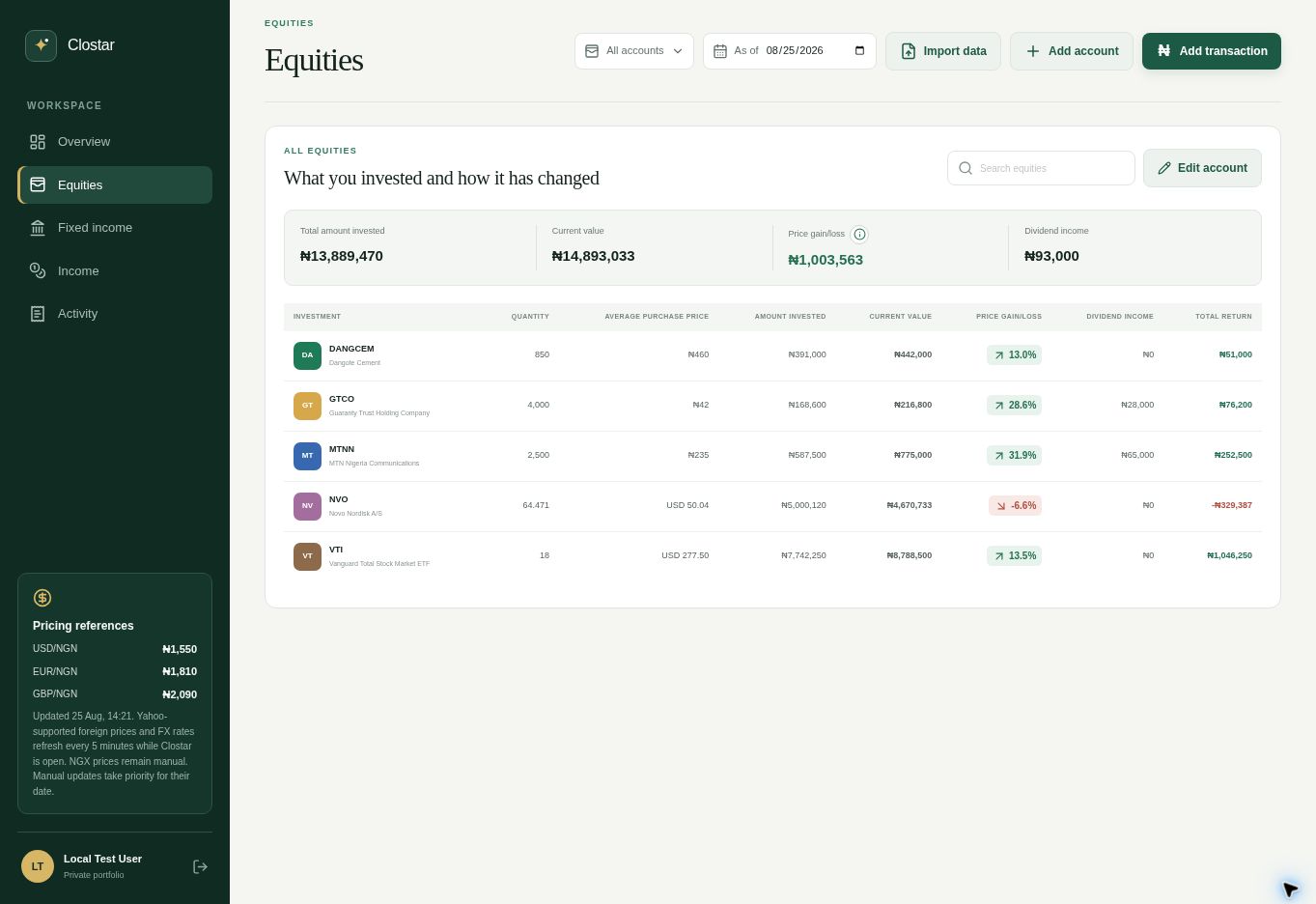
Track Nigerian equities with current iTick prices, visible source dates, and the option to keep a manual price for any date.
Track NGX and foreign equities, fixed income, investment income, and multiple accounts in one calm, accurate view.
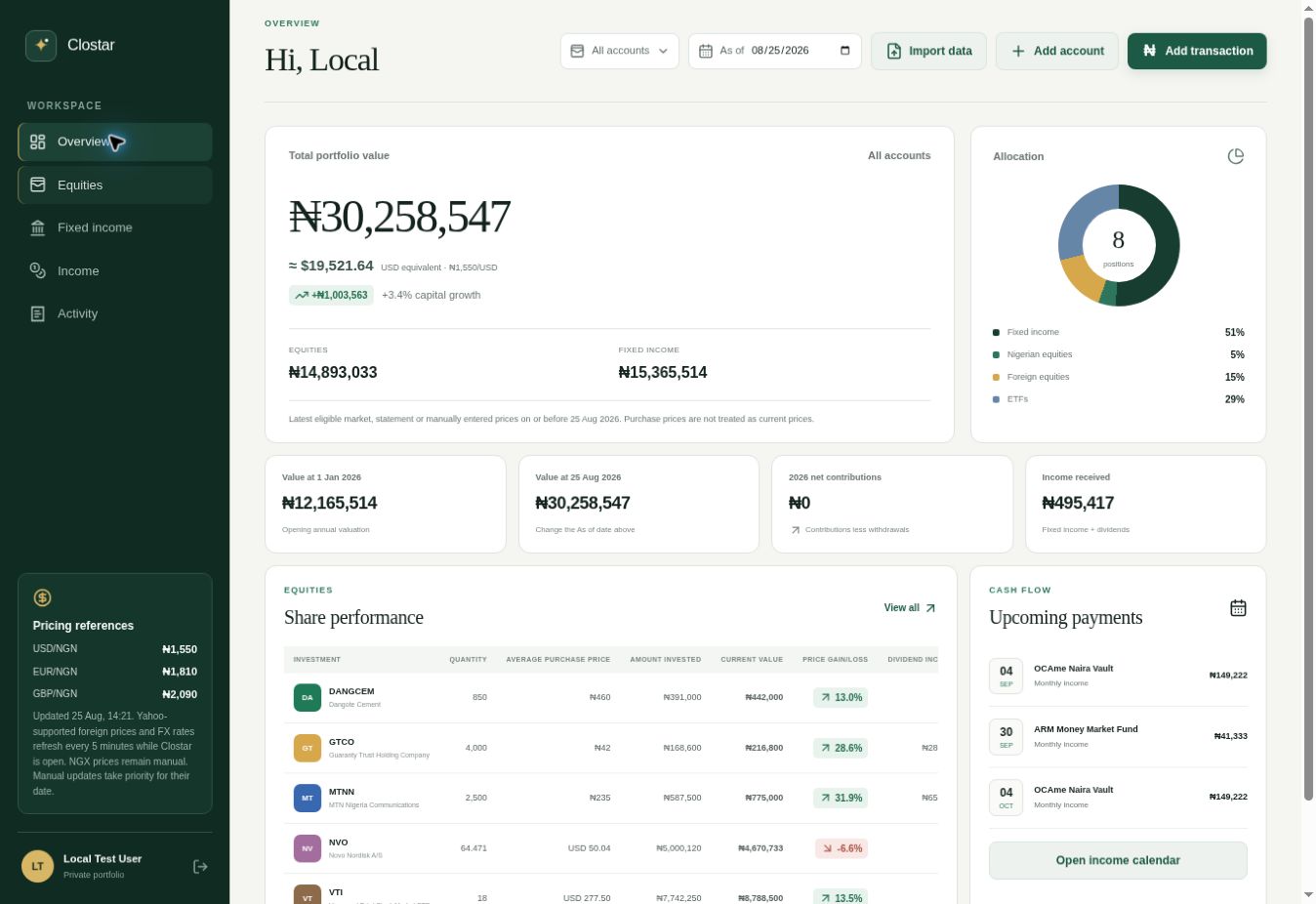
Built for portfolios that do not fit neatly into one broker.
No account required
Upload the PDF, CSV or XLSX CSCS statement supplied through Bamboo, Yochaa or your broker. Clostar parses it in your browser and builds a temporary portfolio dashboard with matched NGX securities.
Convert a CSCS statementNGX securities, CSCS statements, fixed-income schedules, foreign holdings and investment income belong in one reliable record.
Track Nigerian equities with current iTick prices, visible source dates, and the option to keep a manual price for any date.
Preserve each investment in its native currency while seeing a consolidated NGN view across Nigerian and foreign holdings.
Import supported CSCS PDF, CSV and XLSX statements, review matched securities, and keep account-level positions intact.
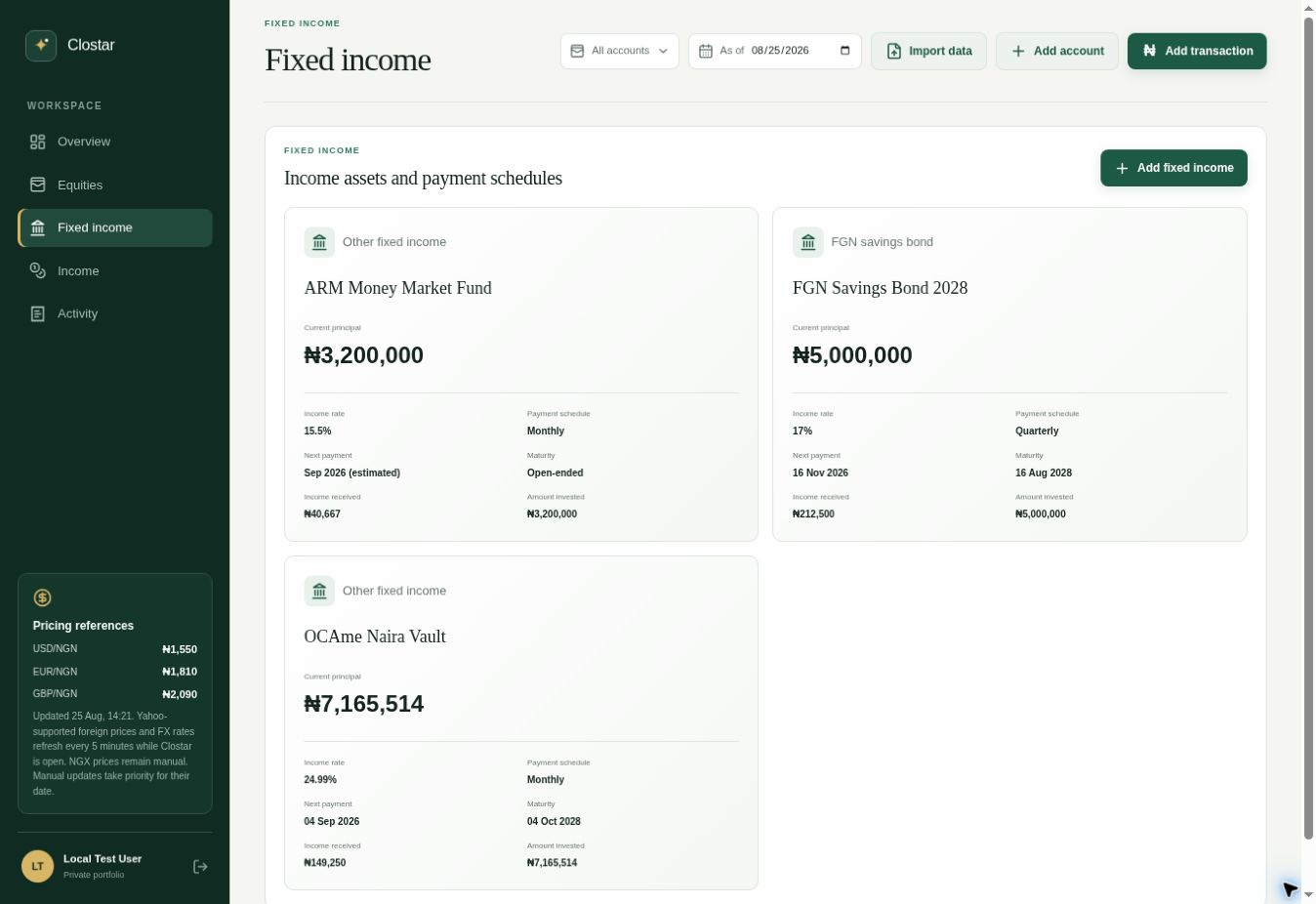
Track principal, income rates, maturities, expected payments and received income for savings bonds and other fixed-income products.
Bring dividends, interest and coupon payments into the same ledger as the investments that generated them.
Keep broker and platform records separate while seeing one global position for the same security across your complete portfolio.
Simple pricing
Organize your portfolio, import supported records, and track investments across accounts and currencies without providing a payment method.
Questions, answered
For Bamboo NGX holdings, Clostar supports recognized CSCS statements supplied through Bamboo. The converter does not claim to parse a separate proprietary Bamboo statement.
The public converter accepts supported text-based CSCS PDFs and CSCS Portfolio Details CSV or XLSX exports up to 5 MB. Scanned and password-protected PDFs are not supported.
Clostar retrieves current NGX reference prices from iTick and displays the price date. When a live price is unavailable, the converter keeps the statement closing price visible.
Yes. Clostar preserves the native currency of supported foreign holdings and uses FX rates to show a consolidated NGN portfolio view.
No. The file is parsed in your browser. Only matched ticker symbols are sent to retrieve current NGX prices.
Yes. Clostar is currently free to use and does not require a payment method.
Add investments manually or use AI to import statements, spreadsheets, PDFs, and screenshots. Clostar keeps account-level detail while reconciling the same security across your complete portfolio.
Start your portfolioOrganize holdings by broker, platform, bank, or investment provider.
Upload statements, spreadsheets, PDFs, or screenshots. Clostar extracts your holdings for you to review and confirm before saving.
Monitor value, cost, returns, income, maturities, and upcoming payments.
Your portfolio deserves one home
One clear view across accounts, currencies, equities, and fixed income.
Open Clostar